
By kodewright · Published: 2026-06-21
How to Generate Lorem Ipsum Online (With Options)
Generate lorem ipsum, hipster, or bacon placeholder text online — pick words, sentences, or paragraphs, set an exact count, and copy. Try the free tool.
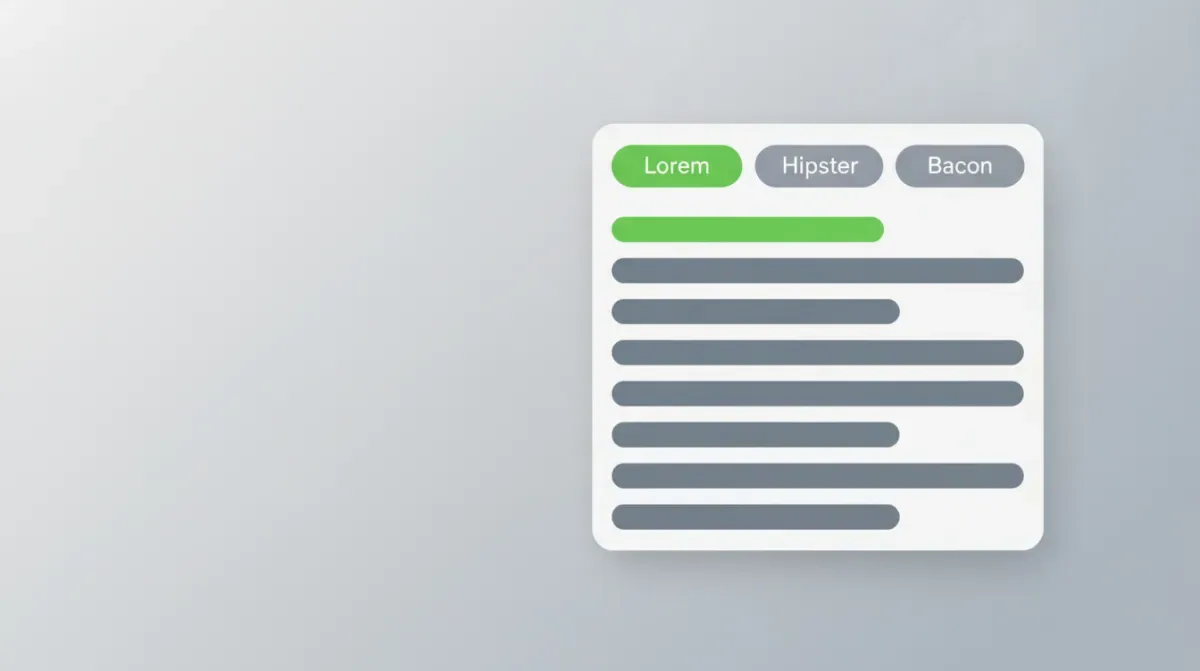
The fastest way to generate placeholder text is to skip the generate button entirely. Open our Lorem Ipsum Generator — it runs entirely in your browser with zero network calls, so it works offline and nothing is produced on a server — pick a corpus, choose words/sentences/paragraphs, type how many you need, and the output updates as you type. Copy or download .txt. Done.
That's the whole job. But the tool has three flavors of filler, an exact-count mode, and an HTML output toggle that most designers and devs never notice they wanted. Here's how to use each — plus the one thing nearly every other lorem generator gets quietly wrong under the hood.
Pick Your Flavor: Lorem, Hipster, or Bacon
All three produce the same thing — grammatically-shaped nonsense that fills space without demanding to be read. They differ only in the word list driving them.
| Corpus | Vibe | Sample words | Best for |
|---|---|---|---|
| Lorem | Classic, invisible | lorem, ipsum, dolor, consectetur | Client mockups where text should vanish into the layout |
| Hipster | Playful, on-brand | artisan, kombucha, fixie, cold-pressed | Lifestyle, food, or startup sites that need personality |
| Bacon | Obviously fake | pork belly, ribeye, pancetta, brisket | Drafts where a stakeholder must never mistake filler for final copy |
The Bacon case is the underrated one. Classic Lorem is so familiar that a hurried client might gloss over it, but nobody approves a homepage that says "pork belly tenderloin." It's placeholder text with a built-in tripwire. Pick the corpus from the first dropdown; the output regenerates the instant you switch.
Words, Sentences, or Paragraphs — Hit an Exact Amount
The unit selector is where the precision lives. Each unit answers a different layout question.
| Unit | What you get | Range per item |
|---|---|---|
| Words | An exact word count, capped with a period | 1–500 words total |
| Sentences | Complete sentences with varied punctuation | 5–15 words each |
| Paragraphs | Full blocks separated by blank lines | 3–7 sentences each (~50 words) |
So a paragraph runs roughly 25 to 100 words and averages about 50. Three paragraphs gives you ~150 words — enough to pressure-test a card or a blog-preview component without overflowing it.
Use Words mode when you have a real target to match. Building a layout that has to hold a 500-word essay? Generate exactly 500 words, drop them in, and you'll see immediately whether your line-height and column width survive that volume. To verify the generated block actually hits the count — and to check characters and reading time at the same time — paste it into the Word Counter. Both tools agree because both count the same way. If you're sizing a page rather than a field, our words-per-page guide maps word counts to physical pages across spacing and font settings, so you know what 500 words of filler will look like once it's typeset.
There's also a classic opener toggle. Leave it on and the output leads with the canonical line your eye expects — "Lorem ipsum dolor sit amet, consectetur adipiscing elit." — then fills the rest with randomized text. Turn it off when you want a fully random sample, for instance when you're generating several blocks and don't want them all starting identically.
Why "Lorem Ipsum" Isn't Just Gibberish
Here's the bit that makes for good trivia at a design review. The classic text isn't invented nonsense — it's mangled Cicero.
The source is De finibus bonorum et malorum ("On the Ends of Good and Evil"), a treatise on ethics Cicero wrote in 45 BC. The recognizable fragment comes from a passage that begins "Neque porro quisquam est qui dolorem ipsum quia dolor sit amet..." — roughly, "nor is there anyone who loves pain itself because it is pain." A typesetter in the 1500s scrambled that passage into unreadable filler to demonstrate a typeface, and it stuck for five centuries.
That history explains why it works. The words carry real Latin shape — believable word lengths, vowel-consonant rhythm, sentence cadence — but zero meaning. Your eye reads it as "text," your brain doesn't try to parse it. That's the entire trick.
Designers have a name for using nonsense on purpose: greeking. The point is to stop stakeholders from reviewing the copy when you need them reviewing the design. Fill a mockup with real English and the feedback turns into "I'd reword that headline." Fill it with lorem ipsum and the conversation stays on spacing, hierarchy, and balance — which is what the mockup is for. Placeholder text is a focus tool disguised as filler.
The Part Most Generators Get Wrong: Random ≠ Math.random()
Now the engineering. Picking a random word from a list sounds trivial — grab a list of 160 words, pick an index, done. The naïve version looks like this:
const word = words[Math.floor(Math.random() * words.length)]
It works, and it's also subtly broken. Math.random() is fine for picking a word, but the technique — mapping a random number onto a range with modulo or a float multiply — introduces modulo bias when the range doesn't divide evenly into the random source. Some words come up fractionally more often than others. For a toy generator nobody cares. But "good enough, slightly biased" is exactly the junior shortcut our guardrails ban across this whole site.
The Lorem Ipsum Generator uses crypto.getRandomValues() instead, with rejection sampling to kill the bias entirely:
function secureRandomInt(maxExclusive) {
  const range = 2 ** 32
  const limit = range - (range % maxExclusive)
  const buf = new Uint32Array(1)
  while (true) {
    crypto.getRandomValues(buf)
    if (buf[0] < limit) return buf[0] % maxExclusive   // discard the biased tail
  }
}
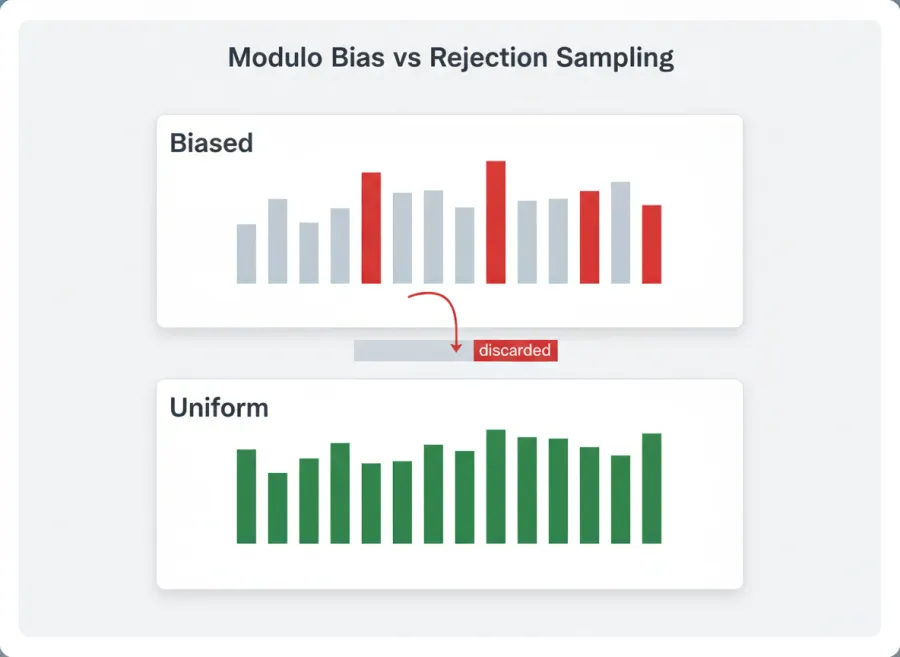
The picture is the whole argument. On the left, mapping a random number onto a 160-word list with modulo leaves a leftover "tail" that doesn't divide evenly — the words covered by that tail come up slightly more often, so the bars are uneven. On the right, rejection sampling throws away any value that lands in that tail and rolls again, so every bar is the same height. The limit line is what trims off the uneven top slice of the 32-bit range so every word in the list has a genuinely equal chance. It's the same standard you'd use for anything that has to be unbiased — and the same reason our other tools generate IDs with crypto.randomUUID() instead of Math.random().toString(36). If you want the full tour of why naïve string handling breaks, the JavaScript word-counting guide walks through the same class of bug on the counting side, where text.split(' ') quietly returns garbage on anything non-English.
Is the bias visible in your placeholder text? No. Does it cost anything to do it right? Also no. So we did it right.
HTML Output, Copy, and Download
Two finishing touches aimed at developers.
Switch the unit to Paragraphs and a second toggle unlocks: HTML output. Enable it and each paragraph comes wrapped in <p>...</p> tags, ready to paste straight into a template or a CMS field — no manual tag-wrapping. It's disabled for words and sentences mode, because wrapping a loose word list in paragraph tags makes no sense.
From there, Copy drops the text on your clipboard, and Download saves a lorem-ipsum.txt file for seeding fixtures, test data, or a content audit. If you generated text for a length-limited field — a meta description, a social caption, an SEO title — run it through the Character Limit Checker to confirm it fits the platform cap before you ship the mockup. It counts by grapheme, so multi-byte characters don't throw the number off.
That's the full toolkit: three corpora, three units, an exact count up to 500, a classic opener, HTML wrapping, copy, and download — all generated locally, instantly, every time you touch a control.
When Lorem Ipsum Isn't the Right Placeholder
Greeked Latin is the right choice for judging typography, and the wrong choice for almost everything else. It won't tell you how a table behaves with realistic names and dates, whether your CSV importer survives a comma inside a quoted field, or what your layout does when an address line is unusually long.
For those, reach for structured fixtures instead: the Dummy Data hub generates seeded datasets across 32 columns and seven output formats (CSV, TSV, JSON, NDJSON, SQL, XML and YAML), plus placeholder images at any size up to 8000px, files of an arbitrary size from 1 KB to 100 MB for upload-limit testing, and multi-page PDFs. Because every dataset is generated from a displayed seed, regenerating with the same seed reproduces the identical rows — which is what makes a fixture usable in a test suite rather than just a screenshot. It also carries exact-word-count prose blocks at 50 / 100 / 250 / 500 / 1,000 words if what you actually needed was text of a known length rather than Latin.