
By kodewright · Published: 2026-05-08
How to Remove Extra Spaces From Text Online (Fast Fix)
Paste-and-fix: remove double spaces, non-breaking spaces, and PDF line breaks in seconds. Free browser tool, no upload required.
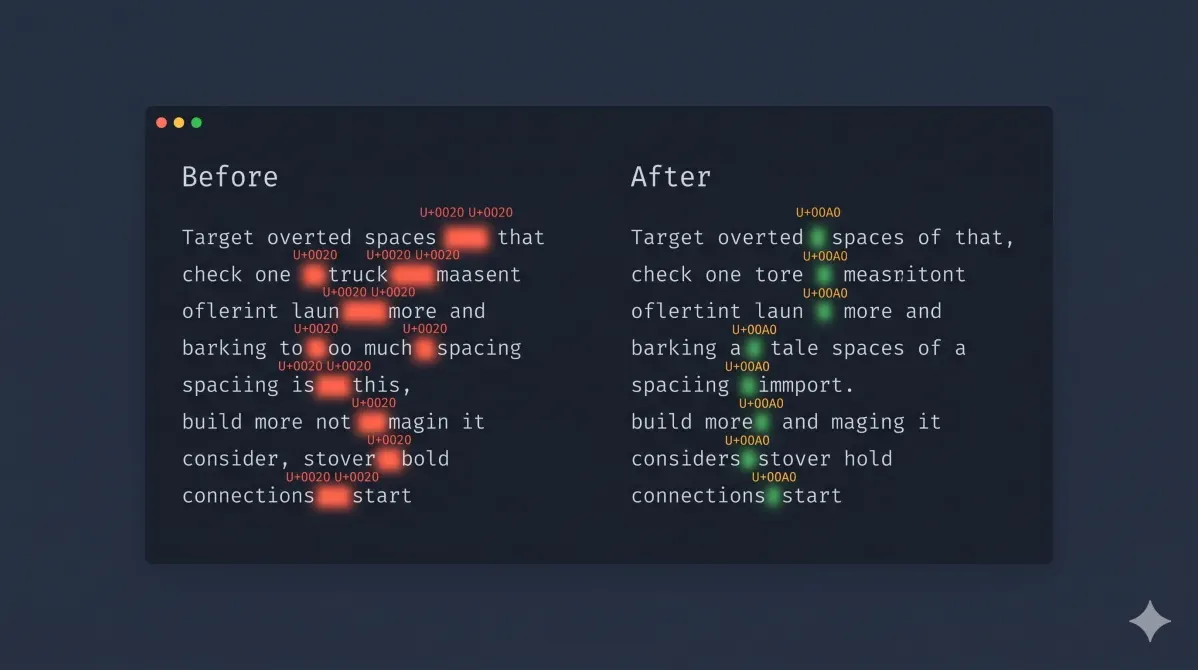
If you've ever pasted content from a PDF, a Word document, or a web page and ended up with double spaces between every word, you've hit one of text editing's most common annoyances. Those aren't display glitches — they're real characters embedded in your content, and they don't go away on their own.
Here's how to remove them fast.
The Fast Way: Use the Remove Spaces Tool
Paste your text into our Remove Spaces — runs 100% in your browser tab, your text is never transmitted to any server — select the operations you need, and copy the cleaned result. Done in seconds.
The tool covers seven specific cleanup operations:
| Operation | What it fixes | Before → After |
|---|---|---|
| Remove extra spaces | Multiple spaces collapsed into one | word word → word word |
| Fix PDF line breaks | Mid-sentence hard returns removed | quick brown\nfox → quick brown fox |
| Remove all line breaks | Entire document flattened to one block | line 1\nline 2 → line 1 line 2 |
| Remove empty lines | Blank lines between paragraphs stripped | para\n\n\npara → para\n\npara |
| Trim line endings | Leading/trailing spaces per line removed | ·· hello ·· → hello |
| Remove special characters | Non-ASCII chars stripped | résumé → resume |
| Straighten quotes | Curly typographic quotes → ASCII straight | "hello" → "hello" |
Select one or several — they stack. The preview pane shows exactly what changed before you copy anything.
Why Pasted Text Arrives With Extra Spaces
Understanding the source makes the fix less mysterious.
PDFs: Geometry, Not Text
PDFs store text as glyph coordinates, not character strings. Extraction is a reverse-engineering job:
PDF internal:  [glyph "w" at x=100] [glyph "o" at x=108] ... [glyph "w" at x=180] ...
                                                                 ↑ gap = 22px
Extractor:     "word" + "  " + "word"    ← gap > threshold → two spaces inserted
If the coordinate gap between two words is slightly wider than the extractor's threshold — common with justified text or wide kerning — it inserts two spaces. Every word pair potentially affected. It's not a bug; it's a geometry inference with no perfect answer.
Word and InDesign: Intentional NBSP
Microsoft Word and InDesign insert non-breaking spaces (U+00A0) in specific positions:
You type:    10 kg
Word stores: 10[U+00A0]kg   ← non-breaking space, prevents line-wrap between number and unit
You see:     10 kg          ← looks identical to a regular space
Legitimate typographic behavior in a word processor. Invisible contamination the moment you paste into any other context.
HTML Copy-Paste: The Trap
Any entity in the source HTML arrives as U+00A0 in your clipboard:
HTML source: <td>New York</td>
Clipboard: New[U+00A0]York
Text editor: New York ← looks fine, behaves broken
Paste a table from a website into a plain text field and you've got dozens of them.
The Five Space Characters That Cause Problems
Not all "spaces" are the same character. Here are the ones you'll actually encounter:
| Character | Unicode | How it arrives | Visible difference |
|---|---|---|---|
| Regular space | U+0020 | Typed normally | None |
| Non-breaking space | U+00A0 | Word, InDesign, HTML | None — invisible |
| Zero-width space | U+200B | CMS exports, Markdown parsers | None — truly invisible |
| Em space | U+2003 | Design tools, some CMSs | Slightly wider |
| Thin space | U+2009 | Typographic templates | Slightly narrower |
The Remove Spaces tool targets all of these. The regex approach requires explicit Unicode code points for each one — which brings us to the manual method.
The Manual Regex Approach
If you're processing multiple documents, building a pipeline, or just prefer to understand what's happening, the Find & Replace tool handles this with regex patterns.
Collapse double spaces:
Find:    [ \t]+
Replace: (single space)
Flags:   g
Using \s+ instead would also eat your newlines — don't do that unless you want one giant paragraph. [ \t]+ targets horizontal whitespace only.
Replace non-breaking spaces:
Find:
Replace: (regular space)
Flags:   gu
The u flag is required. Without it, is treated as a literal string, not a Unicode escape, and the pattern silently matches nothing.
Fix PDF line break artifacts:
Find:    (?<!\n)\n(?!\n)
Replace: (space)
Flags:   g
This negative lookahead/lookbehind pattern removes single newlines (the mid-sentence artifact ones) while leaving double newlines intact, so your paragraph breaks survive. More surgical than "remove all line breaks."
For a deeper look at pattern syntax, capture groups, and quantifiers, the regex find & replace guide covers the full reference.
Non-Breaking Spaces: The Invisible Problem
Worth extra attention, because U+00A0 causes downstream issues that regular double spaces don't.
Word count mismatch. A naive whitespace split (text.split(' ')) won't split on U+00A0. "New York" with NBSP stays as one token. Our Word Counter uses Intl.Segmenter — the W3C standard API for language-aware tokenization — which handles Unicode whitespace correctly. But paste your text into any platform that uses a simpler approach, and your count will be off.
Regex patterns break silently. \s in JavaScript matches tab, space, newline, carriage return — but not U+00A0 by default. A pattern like /\s+/g will skip every non-breaking space without warning. If you're writing regex to process user-pasted content, add U+00A0 explicitly: [ \t ]+.
Copy-paste contamination in document formatting. This is the same category of invisible-character problem covered in how many words per page — characters that look fine on screen but throw off character counts, line lengths, and page layout calculations.
Zero-Width Spaces: The Other Invisible Character
Zero-width spaces (U+200B) appear in text exported from CMSs like WordPress, Contentful, and Notion, and from some Markdown parsers. Genuinely invisible — no width at all.
Looks like:  wordhere
Actually is: word[U+200B]here
Code sees:   two tokens: "word" + "here"
Your editor won't highlight it. Spell check ignores it. But word tokenization and character counts see it. To strip them: Find , replace with nothing, gu flags — or run "Remove special characters" in the Remove Spaces tool, which targets all non-ASCII whitespace variants in one pass.
When You Should Not Strip Whitespace
Whitespace cleanup is safe on prose. On anything where indentation carries meaning, it is destructive — and this is the mistake that actually costs people work.
Python. Indentation is the block structure. Collapsing leading spaces doesn't reformat a Python file, it changes which statements are inside which loop, or produces an IndentationError if you're lucky enough for it to fail loudly.
YAML. Same problem, worse consequences. Nesting is expressed purely through leading spaces, so a cleanup pass can silently reparent a key — turning a Kubernetes manifest or a CI config into valid YAML that means something different from what you intended. YAML also forbids tabs for indentation, so a well-meaning space-to-tab conversion breaks the file outright.
Markdown. Four leading spaces mark a code block, and two trailing spaces are a hard line break. "Trim line endings" removes those line breaks, quietly reflowing your paragraphs.
Diff, patch, and TSV files. In a TSV the tab characters are the column delimiters — collapsing runs of whitespace merges your columns. In a patch file the leading space, +, and - characters are the format.
The rule: clean whitespace in prose, never in structured text. If you need to fix a genuine problem inside a code or config file, target it precisely with a regex in Find & Replace rather than running a general cleanup pass over the whole document. And because every operation here is optional and previewed, you can run only the one you need — the before/after pane shows exactly what would change before you commit to it.
Before You Clean: A 30-Second Triage
Not every document needs all seven operations. A quick check first:
- Search for two consecutive spaces. If you get matches → double-space contamination from PDF or old typewriting habit.
- Search for
- Look for lines that cut off mid-sentence. Signature of PDF column extraction artifacts.
- Check if paragraph spacing looks inconsistent. Multiple empty lines between paragraphs → an "empty lines" cleanup pass will normalize it.
Knowing which problem you have means running only the operations you need — and the preview pane confirms the result before you commit.
Extra spaces are one of those formatting problems that feel minor until they aren't — until your word count is wrong, your regex fails, or your client asks why the document looks different in every paragraph. Two minutes of cleanup at paste time saves significantly more time downstream.
What to Do Once the Text Is Clean
Cleaning is usually step one of a pipeline, not the whole job. Two follow-ups come up constantly:
Sorting and deduplicating a list. Once trailing spaces are gone, apple and apple finally compare as equal — which is exactly why cleanup has to come first. Run the cleanup, then sort the lines alphabetically, which covers the online tool, VS Code's built-in command, and the terminal sort flags, along with the case-sensitivity and locale-collation gotchas that quietly change the result.
Diffing two versions of a file. Invisible characters are the single biggest source of false positives in a diff: two lines that look identical on screen come back as changed because one ends in a non-breaking space or a CRLF. If you're comparing config files, .env drift, or two drafts of a chapter, comparing two text files online walks through the encoding, BOM, and line-ending traps specifically — and cleaning both sides first is what makes the diff readable at all.