
Автор: Vibe Apps Pro Team · Опубліковано: 2026-06-26
Щільність ключових слів: що це і як порахувати
Щільність ключових слів = входження ÷ загальна к-сть слів × 100. Формула, чому 'ідеальний відсоток' — міф, і як перевірити свою безкоштовно в браузері.
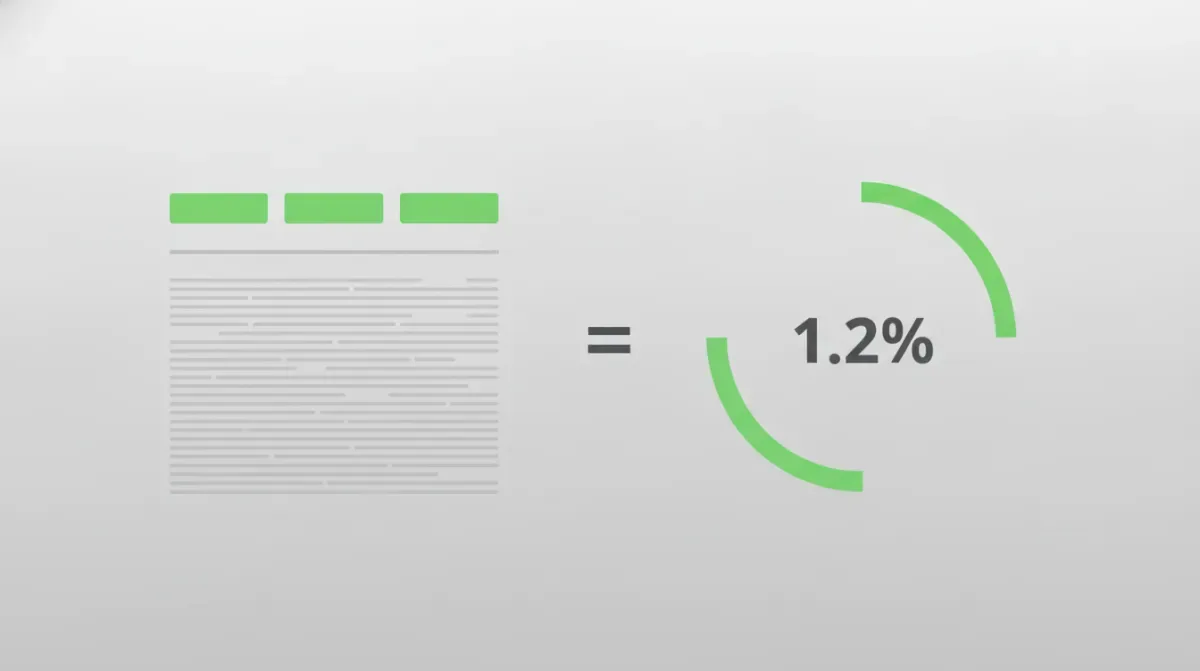
Щільність ключових слів — це одне число: як часто фраза з'являється, поділене на загальну кількість слів, помножене на 100. Ключове слово, вжите 12 разів у статті з 1000 слів, має щільність 1.2%. Це все визначення — усе інше вже інтерпретація.
Ось частина, яку більшість «вичерпних гайдів» ховає: ідеального відсотка, до якого варто прагнути, не існує. Google відмовився від щільності ключових слів як цільового сигналу ще 2011 року. Те, для чого щільність реально корисна у 2026 році, — протилежність того, чим її продавали: це спосіб зловити фразу, яку ти випадково запхав забагато разів, а не квота, яку треба виконати. Нижче — формула, математика, яка всіх плутає, і як читати це число, не обманюючи самого себе.
Формула щільності ключових слів
Математика — рівень початкової школи, звичайне ділення. Порахуй входження своєї фрази, поділи на загальну кількість слів на сторінці, помнож на 100.
Щільність ключового слова = (Входжень ключового слова ÷ Загальна к-сть слів) × 100
Прожени це на реальному прикладі — фраза з'являється 12 разів у пості з 1000 слів:
(12 входжень ÷ 1 000 слів) × 100 = 1.2%
Доволі просто. Пастка — у знаменнику, і саме тут два різні інструменти видадуть тобі два різні числа для того самого тексту.
Для багатослівних фраз — що рахується «загальною кількістю слів»? Більшість чекерів — наш включно — ділять на загальну кількість окремих слів, а не на кількість «слотів фрази». Тож двослівна фраза, яка з'являється 5 разів у документі з 1000 слів, покаже 0.5% (5 ÷ 1000), а не 1.0%. Інструмент, що ділить на слоти фрази, видав би зовсім інше число. Жоден варіант не «неправильний», але якщо порівнюєш число з одного інструменту з числом з іншого, ти порівнюєш яблука з іншим фруктом. Завжди перевіряй знаменник, перш ніж довіряти відсотку.
«Ідеальна щільність ключових слів» — це міф
Ти й досі знайдеш пости в блогах, що наполягають на магічному діапазоні — «цілься в 1–2%», «тримай нижче 2.5%». Стався до цих чисел так, як ставишся до коментаря в коді, що каже // TODO: полагодити пізніше (2014). Це релікти.
Дві речі вбили епоху цільової щільності:
- Panda (2011) почав карати тонкий, перепоптимізований контент, і сам Джон Мюллер із Google прямо казав, що ідеальної щільності ключових слів, до якої варто оптимізуватись, не існує.
- BERT (2019) і трансформерні моделі, що прийшли за ним, читають сенс, а не повторюваність. Рушій розуміє, що «полагодити спущену шину» й «відремонтувати проколене колесо» — та сама тема. Задовбування однією точною фразою не допомагає йому зрозуміти тебе краще — воно просто робить твій текст гіршим.
Тож переверни ментальну модель. Щільність — це не термостат, який ти виставляєш на 1.5%. Це детектор диму. Єдиний поріг, який має значення, — стеля: якщо одна фраза підіймається набагато вище того, що звучить природно, у тебе проблема, яку треба виправити.
| Щільність однієї фрази | Що це зазвичай сигналізує | Що робити |
|---|---|---|
| Менше 0.5% | Ледь присутня | Нормально — варто підняти, лише якщо це справді твоя головна тема |
| 0.5%–1.5% | Природне використання | Не чіпай |
| 1.5%–3% | Важко — межа | Прочитай уголос; заміни кілька входжень синонімами |
| Більше 3% | Перепоптимізовано | Скороти кількість входжень — це виглядає як спам і для Google, і для людей |
Це прочитання, а не ціль. Спочатку пиши для людини. Тоді перевір щільність, щоб переконатись, що ти випадково не сперся на одну фразу 30 разів — саме такий тип несвідомого повтору розбирає з редакторського кута наш гайд з аналізу частоти слів.
Окремі слова проти фраз — чому перемагають 2-грами
Щільність окремих слів — здебільшого шум. Звичайно, «маркетинг» — найчастіше слово в пості про маркетинг. Це не дає жодної практичної інформації.
Сигнал живе у фразах — 2-грамах і 3-грамах у термінах NLP. «Автоматизація email-маркетингу» на рівні 1.8% — це реальний, конкретний сигнал про те, під що оптимізована сторінка. Тому наш чекер за замовчуванням працює в режимі 2 слова. Але фрази створюють головний біль зі стоп-словами, з яким більшість інструментів справляється погано.
Обидва наївні підходи провалюються:
- Лишити кожне стоп-слово — і твій список 2-грамів це просто «з цього», «в тому», «до цього» — граматика, а не теми.
- Прибрати будь-яку фразу зі стоп-словом — і втратиш реальні фрази на кшталт «як правило» чи «на найвищому рівні».
Наш чекер використовує фільтр стоп-слів на межах: він відкидає n-грам, лише якщо його перший чи останній токен — службове слово, лишаючи внутрішні недоторканими. Тож «з цього» зникає, а «як правило» лишається цілим. Ось як фільтр вирішує долю реальних 3-грамів — перевіряються тільки краї:
| Фраза | Перше слово | Останнє слово | Вердикт |
|---|---|---|---|
| з цього дня | з (стоп) | дня | ❌ Відкинуто — край є стоп-словом |
| кінець цього тижня | кінець | тижня | ✅ Лишено — стоп-слова немає взагалі |
| як правило завжди | як | завжди | ✅ Лишено — правило всередині, краї не стоп-слова |
| точка зору автора | точка | автора | ✅ Лишено — зору всередині, краї не стоп-слова |
| автоматизація email маркетингу | автоматизація | маркетингу | ✅ Лишено — стоп-слів немає взагалі |
Це різниця між списком фраз, з яким можна працювати, і стіною прийменників.
Як перевірити щільність ключових слів (безкоштовно, у браузері)
Встав свою чернетку в наш Щільність ключів — кожен n-грам рахується у Web Worker всередині твоєї власної вкладки, тож твій текст ніколи не покидає браузер, без завантаження й без акаунту. Ось воркфлоу:
- Встав свій контент у поле. Інструмент токенізує через
Intl.Segmenterі рахує фрази під час набору тексту, з дебаунсом, тож навіть рукопис на 100 000 слів не заморозить сторінку. - Обери довжину фрази. Почни зі стандартного режиму 2 слова для сигналів теми; переключись на 1 слово, щоб виявити один надто часто вживаний термін, чи на 3 слова, щоб перевірити довгохвості фрази з точним збігом.
- Тримай «Виключати часті слова» увімкненим. Це той самий фільтр стоп-слів на межах — він прибирає прийменникове сміття, тож твої реальні фрази піднімаються нагору.
- Відсортуй за щільністю й прочитай верхівку списку. Усе, що виглядає натягнуто, — виправляй. Експортуй таблицю в CSV, якщо перевіряєш пакет сторінок.
Коли знаходиш надто часто вживану фразу, не видаляй наосліп — урізноманітнюй. Наш інструмент Пошук і заміна (з підтримкою regex) дозволяє замінити задовбане ключове слово синонімами по всьому документу за один прохід. А якщо скорочення перепоптимізованої секції виводить тебе за бюджет довжини, техніки зі статті як зменшити кількість слів прибирають роздутість, не калічачи сенсу. Для сирої базової кількості слів, від якої залежить кожен розрахунок щільності, найшвидша перевірка — Лічильник слів на головній сторінці.
Щільність ключових слів проти частоти слів
Ці двоє постійно плутають. Вони поділяють арифметику й розходяться в намірі.
| Щільність ключових слів | Частота слів | |
|---|---|---|
| Мета | SEO: чи цільова фраза перевикористана чи недовикористана? | Редагування: які слова я повторюю несвідомо? |
| Одиниця | Фраза (1–3 слова) у % від загального | Окреме слово, кількість + % |
| Ти хочеш, щоб число… | Лишалось нижче стелі | Знизилось (прибрати тіки) |
| Інструмент | Щільність ключів | Частота слів |
Використовуй щільність, коли оптимізуєш сторінку і хочеш переконатись, що не скотився в спам. Використовуй частоту, коли редагуєш власну прозу й полюєш на дієслово, на яке спирався шість разів у двох абзацах. Ті самі відсотки, протилежний напрямок руху.
Чесний висновок: щільність ключових слів — метрика 2008 року, яка дожила до 2026 як діагностика, а не як стратегія. Не ганяйся за відсотком. Пиши сторінку для читача, прожени 60-секундну перевірку щільності, щоб зловити випадковий переспам, виправ викиди, публікуй.
Ще два числа, за якими женуться марно
Щільність — не єдина метрика на сторінці, яку сплутали з важелем. Ще дві варто відкалібрувати:
Обсяг тексту. «Довгий контент ранжується» — помилка того самого ґатунку, що й «щільність 1,5% ранжується»: кореляцію прочитали як правило. Реальні цифри щодо обсягу статті розкладають діапазон за типом пошукового наміру й описують метод звіряння з видачею: візьми топ-10 за своїм запитом, порахуй їхні слова, цілься в медіану. Це дає конкретне число саме для твого запиту замість здогадки на весь блог — і показує, коли правильна відповідь це 800 слів.
URL. Розміщення ключа в slug'у реально працює, але дає мало, і помиляються тут радше механічно, ніж стратегічно: підкреслення замість дефісів, вшита дата або наївна функція slugify, яка перетворює заголовок із діакритикою чи кирилицею на кашу. Генератор URL Slug розбирає сім правил і, що важливіше, ризик із 301-редиректом, коли міняєш slug, який уже в індексі.